 TZS
 KES - Kenya
 UGX - Uganda
 RWF - Rwanda
 NGN - Nigeria
 ZAR - South Africa
 USD - Zimbabwe
 GHS - Ghana
 ETB - Ethiopia
 ZMW - Zambia
 USD - International

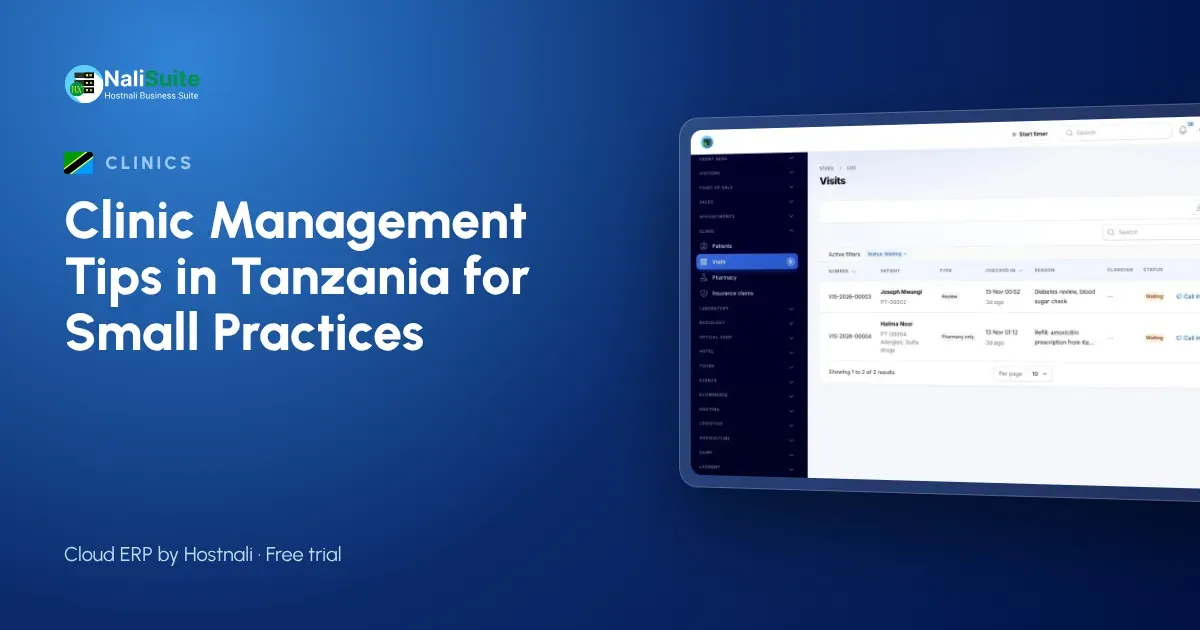
Private dispensaries and health centres in Tanzania often handle cash patients, insured patients and walk-in medicine sales from the same building. Keeping all of that straight is hard without one system.
Use these tips to organise the practice around the patient visit.
Running a practice in Tanzania
Insured patients and cash patients should be billed the same way: one visit, one bill, with the insurer’s share as a claim. Patients paying their share can use M-Pesa, Airtel Money, card or bank transfer.
Patient records are personal data under the Personal Data Protection Act, 2022, and the Personal Data Protection Commission (PDPC) is the regulator. Keep access by role and avoid sharing files on personal phones.
Make the patient file the single source of truth
When a patient tells three people about the same allergy, one of them will forget to write it down. Store allergies, conditions and insurance details once, on the patient record, and show them wherever the patient is seen.
Consultation notes, vitals and diagnoses then build a history that any authorised clinician can read, which matters most when the regular doctor is away.
Run the pharmacy from real stock levels
A dispensary that relies on memory runs out of the medicines patients need most and sits on boxes that expire. Prescriptions should come out of stock the moment they are dispensed, so the count on screen is the count on the shelf.
In NaliSuite, prescriptions are dispensed from your pharmacy stock and Inventory keeps quantities per location, with lots and reorder rules. Check the fast movers weekly and reorder before you run out, not after.
Common pitfalls, and the fix
| Pitfall | Fix |
|---|---|
| Patients wait without knowing their turn | One check-in queue shared by all rooms |
| Medicines expire on the shelf | Track batches and sell the oldest first |
| Tests done but not billed | Order tests from the visit so they land on the bill |
| Claims forgotten | Weekly review of open claims |
| Shared passwords | One login per staff member, access by role |
Example: a dispensary in Arusha
A dispensary in Arusha that also sells medicines over the counter used one stock book for both. Now prescriptions and counter sales come off the same pharmacy stock, batches are tracked, and the owner sees what to reorder before the weekly supplier visit. Patients pay by M-Pesa against the visit or the till receipt.
Move patients through the day in order
Think of the visit as a short journey: arrive, register, wait, consult, test, collect medicine, pay. Every hand-over is a chance to lose time or paper. Put each step on one system and the next person always knows what is waiting for them.
Reception checks the patient in, the clinician picks them from the queue, orders tests or prescribes, and the pharmacy and cashier see the same visit. For booked services, Appointment Booking lets patients choose a time with the person or room they need and pay a deposit online if you ask for one.
Make paying the easiest part of the visit
Patients who wait to pay after waiting to be seen leave unhappy. Build the bill during the visit, so the total is ready when they reach the cashier.
One bill per visit covers consultation, tests and medicine. For insured patients, the covered share goes on an insurance claim and the patient settles the rest by M-Pesa or Airtel Money, card or bank transfer. Learn how payments are matched in mobile money payments.
Connect the lab to the consultation
When the lab is a separate notebook, results arrive late and tests go unbilled. Ordering tests from the visit keeps everything on one record and one bill.
For practices with their own laboratory, the Medical Lab add-on adds panels such as a full blood count, normal ranges by sex and age, and two-step verification before reports are released.
Your first month, step by step
Week one: load your patient list, services and medicine prices, and set up staff logins. Week two: run the queue and consultations on the system while the pharmacy counts stock. Week three: switch billing and payments by M-Pesa or Airtel Money, card or bank transfer to the visit bill. Week four: review the first reports and add the lab or booking add-on if you need them.
Frequently asked questions
Can patients pay by M-Pesa?
Yes. Patients pay by M-Pesa, Airtel Money, card or bank transfer and each payment is matched to the visit.
Can we track medicine batches?
Yes. Batches are kept as lots in inventory, so you can see which stock to sell first.
Is the clinic software an extra cost?
Clinic and Pharmacy, Medical Lab and Appointment Booking are add-ons to any NaliSuite plan, so you add only the ones your practice needs. Plans start from TZS 5,500 a month.
Can a small clinic use it, or only hospitals?
It suits small practices well: start with patient records, the queue and billing, and add the lab or online booking later as you grow.
Try NaliSuite
If your practice still runs on cards and a cash book, NaliSuite is a straightforward next step: one system for patients, medicines, bills and accounts. Explore the health industry page and pick a plan from TZS 5,500 a month; every plan starts with a free trial.