 TZS
 KES - Kenya
 UGX - Uganda
 RWF - Rwanda
 NGN - Nigeria
 ZAR - South Africa
 USD - Zimbabwe
 GHS - Ghana
 ETB - Ethiopia
 ZMW - Zambia
 USD - International

The easiest way to learn to write a quotation is to watch one being built. This guide follows an example IT services business in Dar es Salaam as it quotes for a small office network, line by line, and explains each choice along the way.
The figures are deliberately left out: put in your own prices. What matters is the structure and the thinking behind it.
The enquiry
A clearing and forwarding company in Kariakoo emails: “We are moving to a new office with 12 staff. Please quote for networking, Wi-Fi and setting up the computers.”
Neema, who runs the IT business, does not reply with a price. She replies with questions.
Step 1: Ask before you price
Neema asks:
- How big is the office, and how many rooms?
- Will the 12 staff use desktops, laptops or both?
- Do they have an internet connection booked, and from whom?
- Do they need a printer and a shared file storage set up?
- When do they move, and when must the network be ready?
She then visits the office for 30 minutes. The visit shows that the walls are thick, so two Wi-Fi access points will be needed, not one.
Step 2: List the work in sections
Neema groups the job into three sections, which makes the quote easier to read and to approve in parts:
- Equipment: network switch, two Wi-Fi access points, cabling, a small rack.
- Labour: cabling and installation (2 days), set-up of 12 computers (1 day), testing and handover.
- Support: one month of free support after installation, then an optional monthly support contract.
Step 3: Write the header
At the top of the quote:
- business name, address, phone, email and TIN;
- VAT registration number, as the business is VAT-registered;
- “Quotation No. Q-0388”, date and “Valid for 14 days”;
- the customer’s name, company and contact person.
Step 4: Write a scope paragraph
Supply and installation of a wired and wireless office network for 12 users at the client’s new office in Upanga, including two Wi-Fi access points, cabling to 12 desks, set-up of 12 computers and one month of support. Excludes the internet connection itself and any building works.
The exclusions matter. Without them, the client could expect Neema to arrange the internet line or drill through walls at no extra cost.
Step 5: Fill in the lines
Each line has a description, quantity, unit price and total. Neema keeps the descriptions specific (“Wi-Fi access point, ceiling mount”) so the client can compare like with like.
The monthly support contract goes in as an optional line, shown but not included in the total. The client can choose whether to add it.
Step 6: Add VAT
Because the business is VAT-registered, Neema shows the subtotal, VAT at 18% and the total including VAT. If she were not registered, she would leave VAT out. The free VAT calculator helps when a client asks for a VAT-inclusive budget figure. The invoice that follows must meet TRA’s receipting and invoicing rules, so she checks these when she sets up her invoices.
Step 7: Set the payment terms
60% on acceptance to order equipment, 40% on completion. Payment by M-Pesa, Airtel Money or bank transfer.
Because most of the cost is equipment, the deposit covers it. Neema does not want to finance the client’s purchase.
Step 8: Add short terms
- Delivery within 5 working days of the deposit.
- Equipment carries the manufacturer’s warranty.
- Changes to the scope will be quoted separately.
Step 9: Send and follow up
Neema sends the quote as a PDF by email and WhatsApp the day after the site visit. Two days later, she calls the office manager, who asks to add a printer. Neema issues a revised quote, Q-0388-B, with the printer line added.
How software shortens this
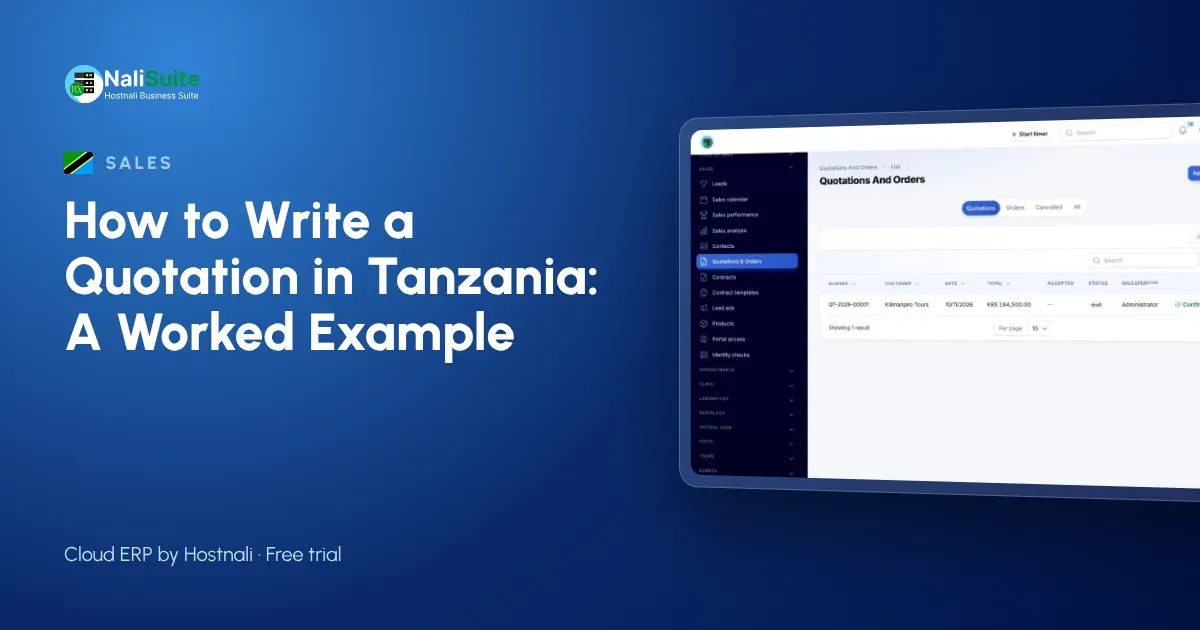
Building that quote in a word processor took Neema over an hour. With NaliSuite Sales and Quotations, her products, labour rates and VAT are saved, sections and optional lines are built in, and the quote goes out as a branded PDF with a link the client can accept online.
Once accepted, the quote becomes a sales order and then invoices: the 60% deposit first and the 40% balance on completion. Every invoice from NaliSuite Invoicing includes a link to pay by M-Pesa, Airtel Money or card; see mobile money payments. The optional support contract, if the client takes it, can be billed every month by the Subscriptions app.
What made this quote work
- Questions before prices.
- A site visit that found a real problem.
- Sections that are easy to read.
- Clear exclusions.
- An optional line that opens a second sale.
- A deposit that covers the equipment.
- A follow-up call that turned into a bigger order.
Frequently asked questions
Should I charge for a site visit?
For small jobs, many businesses do not. For larger ones, a visit fee credited against the job if it goes ahead is common.
How long should a quotation be valid in Tanzania?
Often 14 to 30 days. Shorter if your equipment prices follow the exchange rate.
Can clients accept on their phone?
Yes. A quote sent as a link can be read and accepted on a phone.
What if the client asks for a discount?
Remove or change a part of the scope rather than lowering the price for the same work.
Try NaliSuite
NaliSuite helps Tanzanian businesses quote, invoice and collect by M-Pesa from one record. Plans start at TZS 5,500 a month with a free trial; see the plans or learn about NaliSuite.