 TZS
 KES - Kenya
 UGX - Uganda
 RWF - Rwanda
 NGN - Nigeria
 ZAR - South Africa
 USD - Zimbabwe
 GHS - Ghana
 ETB - Ethiopia
 ZMW - Zambia
 USD - International

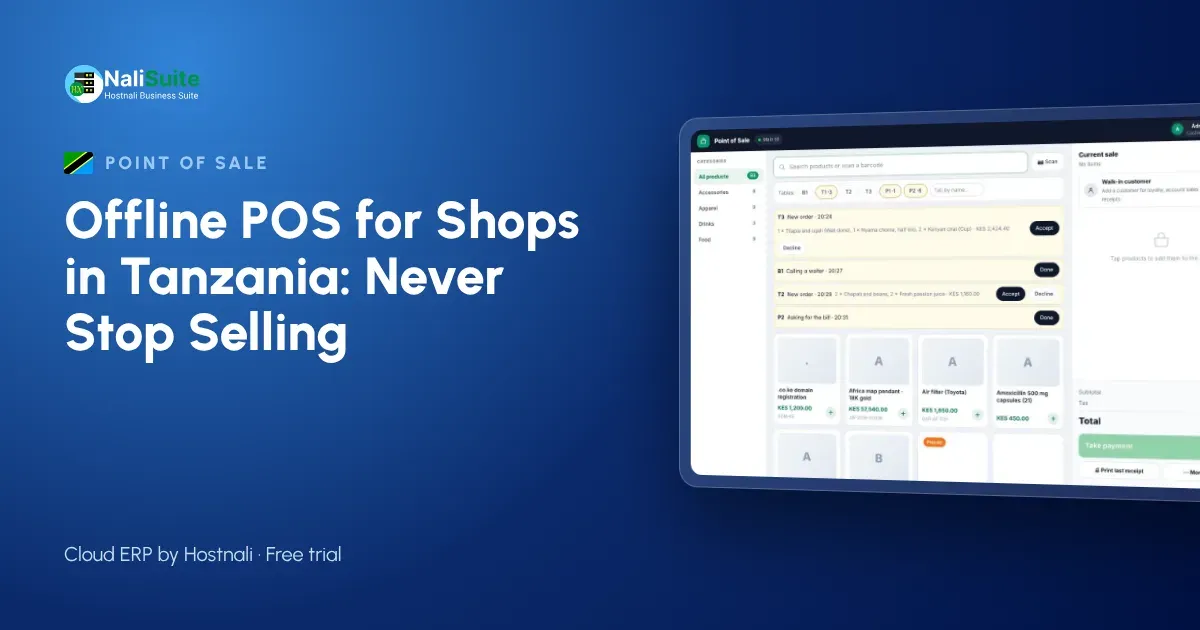
In Dar es Salaam, Arusha or Mwanza, a shop’s busiest hour is often its worst hour for the network. Add the occasional power cut and a cloud-only till becomes a risk. An offline point of sale keeps your counter selling and sends everything to the cloud once the connection is back.
Cash, cards and mobile payments
Offline mode keeps the till selling, but each payment method behaves differently without a connection. Cash is simple. Card machines need their own power and network, so choose one with a battery and its own SIM if outages are common. Mobile and online payments need a confirmation from the provider, so make it a rule to check the confirmation message before goods leave the counter, and let the till match the payment once it is online.
Whatever the method, the till should record it on the sale. That is what turns the end-of-day cash-up into a five-minute job.
Read more about mobile money and card payments at the till on our payments page.
Power, data and M-Pesa in Tanzania
Shops across Tanzania rely on mobile data, and routers go down with the power. Customers pay with M-Pesa and Airtel Money as often as with cash, and they want quick confirmation.
Tax receipting matters here too: many businesses must issue receipts through an EFD under TRA rules. Check what applies to your business with TRA; your point of sale records the sale, but it does not replace a device the law asks you to use.
Keeping stock accurate
The biggest hidden cost of a till that stops is not the lost sale but the unrecorded one. Goods leave the shelf, the notebook gets lost, and next week’s order is wrong. When the till and inventory are one system, every sale (online or offline) takes stock out of the right location, and reorder reports stay honest.
If you run several shops, stock transfers and per-branch levels show you where to move goods before you buy more.
Example: a hardware shop in Mbeya
A hardware shop in Mbeya serves builders who buy in bulk and pay in parts. On a wet afternoon the power and the network go together. The till runs on a laptop battery: the attendant records cement, iron sheets and nails, takes part payment by M-Pesa and the rest on the customer’s account. When the connection returns, the sales sync, the customer’s balance is updated and the stock for the next delivery is right.
Selling on account offline means the builder does not have to come back tomorrow to complete the purchase.
Getting started
Start small. Import your product list with barcodes and prices, set opening stock for one shop, and open the point of sale on a tablet or laptop you already have. Pair a thermal printer, open a session with a float and make a few test sales. Then pull the router’s plug, make another sale, plug it back in and check that the sale arrives in the reports.
Once the first shop runs smoothly, add the next branch, its stock location and its cashiers.
Printing and sending receipts
Paper receipts still matter for many customers, so make sure the till works with ordinary thermal printers. For everyone else, a receipt by SMS or WhatsApp is faster and harder to lose. Offline, the printer works as usual and digital receipts wait in the queue until the device has signal.
Either way, every receipt carries the same sale number as the record in the cloud, which makes refunds and exchanges easy to trace.
A setup that works in Tanzania
A tablet or laptop till with a thermal printer and a barcode scanner covers most shops. Keep the router on a small UPS, and keep the shop phone for M-Pesa and Airtel Money confirmations at the counter.
If your business must issue EFD receipts, keep that process alongside the till and check TRA’s current rules. Many shops in Dar es Salaam keep separate tills for wholesale and retail customers; NaliSuite lets you run several tills in one shop with different price lists, so a wholesale customer gets the right price automatically.
Frequently asked questions
Can customers buy on account while the till is offline?
Yes. The sale is recorded against the customer and their balance updates when the till syncs. Set a credit limit on each customer account to keep balances in check.
Does it work for restaurants?
Yes. Restaurant tables are built into the till, and the Restaurant Pro add-on adds kitchen tickets, recipes and food cost.
How long can the till stay offline?
As long as the device has power. Sales are stored on the device and upload in order when it reconnects, so keep the device charged during long outages.
Try NaliSuite
Every NaliSuite plan includes the offline point of sale, stock, invoicing and the books, from TZS 5,500 a month. Try it free with your own products and test it with the internet switched off. Compare plans.